
- App layouts
App Layouts for Every App Experience
Layouts control how users navigate your app and interact with your content. Choose a layout that fits your app type, modules, and business experience - then customize it inside AppMinCMS without coding.
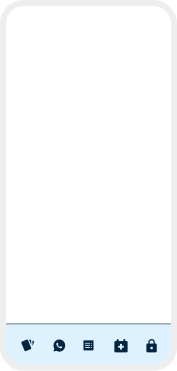
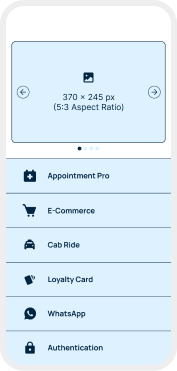
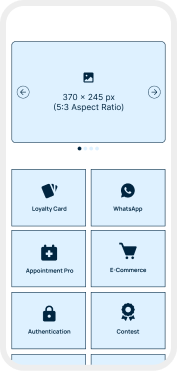
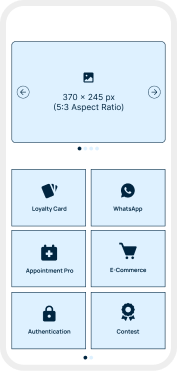
Grid Spotlight
Slider on top with a 2-column grid below perfect for highlighting featured content.
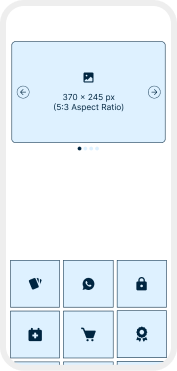
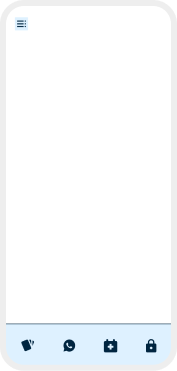
Slide & Browse
Horizontal banner paired with a 2-column grid for a rich, visual browsing experience.
Need a Custom App Layout?
If your business or client needs a different app structure, navigation style, or branded layout experience, our team can review the idea and suggest whether it should be added as a custom layout or future public layout.
- FAQ’s
Frequently Asked Questions
Everything you need to know about AppMinCMS App Layouts
What are AppMinCMS layouts?
Layouts define how your app navigation, modules, and content are displayed to users.
Can I change my app layout later?
Yes, layouts can be changed from the AppMinCMS builder. Some changes may require preview testing or rebuilding the app.
Do layouts affect my modules?
Layouts control how modules are displayed and accessed, but they do not replace the modules themselves.
What is the difference between layouts and templates?
Layouts control app navigation and structure. Templates provide a broader starting design for an app.
Which layout is best for a business app?
For simple business apps, Menu List or Home Feed is usually a good starting point. For visual apps, Grid Spotlight or Slide & Browse may work better.
Are layouts available on all plans?
Some layouts may be included with standard plans, while advanced layouts may depend on the selected subscription.
Do layouts work for both iOS and Android apps?
Yes, layouts are designed for AppMinCMS-supported iOS and Android app builds.