
AppMinCMS helps businesses, agencies, and resellers build, manage, and update mobile apps using a CMS-style platform — with modules, layouts, templates, live preview, content management, branding tools, and app build workflows.
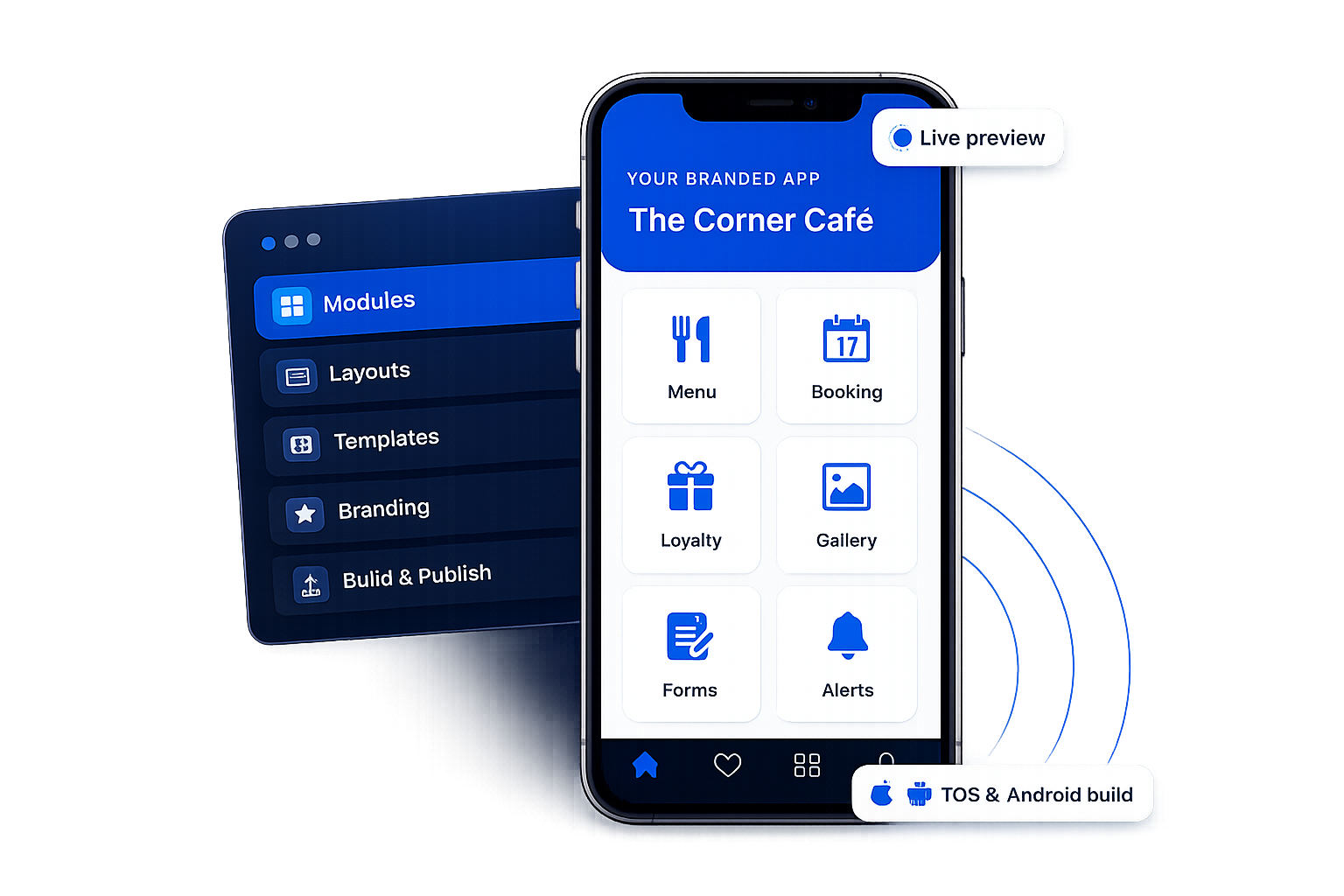
A mobile app CMS is a content management system built for managing mobile app content, app structure, and app experience. Instead of editing native app code every time you want to update something, a mobile app CMS gives teams a dashboard to manage pages, media, modules, layouts, templates, branding, and supported app content from one place.
Traditional website CMS platforms are designed mainly for websites. A mobile app CMS is different because mobile apps often need app-specific features — modules, navigation layouts, push notifications, app preview, user access, build workflows, and publishing support for Android and iOS.
AppMinCMS is designed around this idea. It gives businesses, agencies, and resellers a CMS-style workflow for mobile apps, so they can create and manage app experiences without rebuilding everything from custom development every time.

A website CMS manages web pages, blog posts, menus, images, and website layouts. Mobile apps need a different management layer because app experiences are structured differently — they may need modules, app navigation, mobile screens, native builds, push notifications, content blocks, media libraries, user accounts, and platform-specific publishing steps.
A restaurant app may need menus, offers, galleries, push notifications, booking links, forms, and loyalty features. A service business app may need custom pages, contact forms, catalogs, location maps, and notifications. An agency may need to manage multiple client apps from the same platform. A normal website CMS doesn't solve these app-specific needs properly — a mobile app CMS closes that gap.

A CMS for mobile apps helps teams manage app content, screens, media, modules, layouts, and updates from one place. Unlike a traditional website CMS, it needs to support app-specific experiences such as app navigation, mobile previews, push notifications, booking flows, offers, and publishing workflows.
AppMinCMS is designed for businesses, agencies, and resellers that want a CMS-style workflow for iOS and Android apps without rebuilding every app change from custom code.

Add app functionality and content areas with modules, so you add features without starting from custom development every time.
Control app navigation and screen structure, and start faster with visual templates instead of designing every app from zero.
Review the app experience before publishing or building app files, so you catch changes early.
Prepare Android and iOS app builds using AppMinCMS build workflows and publishing guidance.
Manage app name, icon, colors, splash, media, and content from one place to keep every app on-brand.
Use white-label options on eligible plans for agency and reseller workflows and client-facing experiences.
A CMS-style workflow that maps to how mobile apps are actually structured.
Create app content pages, information screens, service pages, offers, and custom content sections.
Control app navigation and screen structure using layout options designed for mobile apps.
Manage images, files, videos, and other app content assets where supported.
Use live preview to check the app experience before moving
forward.
Add forms, gallery, custom pages, links, catalog, loyalty, booking, attendance, and events as they become available.
Start faster with visual templates instead of designing every app from
zero.
Customize app name, icon, colors, splash, content, and visual
identity.
Prepare Android and iOS builds using AppMinCMS build workflows and publishing guidance.
Both manage content, but they aren't the same. A website CMS focuses on web pages; a mobile app CMS focuses on app screens, features, structure, preview, and delivery.
|
Area
|
Traditional website CMS
|
Mobile app CMS
|
|---|---|---|
|
Main purpose
|
Manage website pages and posts
|
Manage mobile app content, modules, layouts, and app experience
|
|
Content structure
|
Pages, posts, menus, categories
|
Screens, modules, app pages, layouts, templates, media, notifications
|
|
Preview
|
Mobile app preview and app experience review
|
|
|
Publishing
|
Website deployment or CMS publish
|
App build workflows, publishing guidance, app store requirements
|
|
Users
|
Website owners, bloggers, marketers
|
Businesses, agencies, resellers, app owners
|
|
Branding
|
Website theme and domain branding
|
App branding, icon, splash, colors, content, and eligible white-label
|
A headless CMS can be useful for mobile apps when a development team wants to deliver content through APIs into a custom-built app. That's powerful, but it usually still requires developers to design the app, build the screens, connect APIs, maintain the frontend, and manage builds.
AppMinCMS is different. It's designed for teams that want a more complete no-code, CMS-style mobile app platform. Instead of only managing content through APIs, it helps you manage modules, layouts, templates, branding, preview, and build workflows from one place.
For developer-heavy projects, a headless CMS may be the right choice. For businesses, agencies, and resellers that want to create and manage mobile apps faster with less custom development, AppMinCMS is the more practical fit.
Manage your own app content, offers, bookings, media, and updates without depending on a developer for every small change.
Create and manage multiple client apps using reusable modules, templates, layouts, and app workflows.
Offer app creation and management as a recurring service using AppMinCMS white-label and reseller options.
It's important to separate app customization from platform white-label. Here's how they differ.
Every app can have its own identity and experience.
The AppMinCMS workspace can be branded for agency or reseller use.
Dedicated custom-domain deployment belongs to Enterprise-level setup, hosted and managed by AppMinCMS.
Add features without writing code. New modules are added regularly based on customer requests.






A CMS-style workflow instead of relying on manual development for every change.
Start a new app project inside the AppMinCMS platform.
Choose a layout or template to define structure and a visual starting point.
Add modules based on the use case — forms, gallery, catalog, loyalty, booking, and more.
Set app branding, content, colors, media, and app identity.
Review the experience using live preview before moving forward.
Prepare iOS & Android builds and follow publishing guidance, or request paid publishing support.
Manage supported content and settings from the platform as the app grows.
Build your first app free, no credit card required.
One platform, many app types — across industries and business models.
Manage menus, offers, galleries, locations, forms, links, loyalty, coupons, and promotional content.
Create and manage multiple client apps from a CMS-style platform instead of building each from zero.
Manage articles, custom pages, media, files, galleries, and app
content areas.
Use booking-related modules and custom pages to support appointment-based workflows.
Manage company info, service pages, contact forms, maps, gallery, links, and push notifications.
Offer mobile apps as a service under your own business model using white-label options on eligible plans.
Manage product catalogs, offers, app pages, and commerce experiences where modules are available.
Use event and attendance-related modules as the module library
grows.
More than a simple content editor — a CMS-style workflow combined with app builder features.
Everything you need to know about AppMinCMS
A mobile app CMS (Content Management System) is a platform that lets you create, manage, and update your mobile app's content, design, and features without publishing a new version every time. It enables businesses to edit pages, send push notifications, manage products, banners, forms, bookings, and other app content from a web dashboard, making app management faster and more efficient.
A mobile app CMS is a content management system designed to manage mobile app content, app structure, modules, layouts, media, branding, and supported app updates from a central dashboard
A mobile app CMS gives users a platform where they can manage app pages, content, media, modules, layouts, templates, branding, and preview workflows instead of editing native app code for every change.
A website CMS mainly manages web pages and posts. A mobile app CMS manages app-specific needs such as app screens, modules, mobile layouts, push notifications, app preview, app branding, and app build workflows
Some app content and settings may be manageable from the platform depending on how the app and modules are configured. Changes that affect native app behavior, store metadata, or build-level features may still require a new build or app store review.
Yes. AppMinCMS is designed to support iOS and Android app projects with app builder tools, modules, preview, and app build workflows.
Yes. AppMinCMS is designed as a no-code and CMS-style platform for creating and managing mobile apps using modules, layouts, templates, and visual app management tools.
AppMinCMS is not positioned as a pure headless CMS. A headless CMS mainly delivers content through APIs. AppMinCMS is a broader mobile app CMS and app builder platform with modules, layouts, templates, branding, preview, and build workflows
App customization is available for apps, while platform-level white-label options are available on eligible agency, reseller, or Enterprise plans. Dedicated custom-domain deployment is handled through Enterprise setup.
Yes. AppMinCMS is designed for agencies and resellers that need to manage multiple client apps from one platform. Plan limits and access rules depend on the selected plan.
Yes. AppMinCMS is designed to help users manage app content, media, branding, layouts, templates, modules, and other app settings from the platform where supported.
If you want apps published under your own brand or your client's brand, you may need your own Apple Developer and Google Play Console accounts. AppMinCMS provides build tools and guidance, and done-for-you publishing support can be requested as a paid service.
Yes. If your client needs a feature not available in the module library, you can request a custom module through the AppMinCMS marketplace. Your brief is reviewed and quoted before development starts.
Paid modules are generally unlocked per account unless stated otherwise. This helps agencies and resellers manage module access more easily across multiple apps.
Publishing apps to the Apple App Store or Google Play may require developer accounts, store fees, app metadata, certificates, screenshots, privacy details, and approval from Apple or Google.
AppMinCMS provides build tools, documentation, and publishing guidance. Optional paid publishing support may be available for users who want expert help with app submission workflows
A mobile app CMS can support restaurants, salons, gyms, clinics, local businesses, service providers, ecommerce stores, content businesses, event organizers, agencies, and resellers.
AppMinCMS helps you create, customize, preview, and manage iOS and Android apps using modules, layouts, templates, branding tools, and app build workflows — all from one platform.
Everything you need to build, launch and grow
Built for every type of business — pick your use case

Our team will contact you soon!
Still having trouble?
Our team will get you set up right away

Please enter your name and email below, and we’ll send you your demo platform link, username, and password directly to your inbox. Explore our platform and discover how it can transform your business!
Your lifetime plan request has been received. Our team will contact you shortly.

WE’LL CONTACT YOU AT
Usually within 24 hours
If you don’t hear from us, please check your spam folder or wait up to 24 hours.
Still having trouble?
Our team will get you set up right away
Your request has been received. Our team will contact you shortly.
WE’LL CONTACT YOU AT
Usually within 24 hours
If you don’t hear from us, please check your spam folder or wait up to 24 hours.
Still having trouble?
Our team will get you set up right away
Your free trial account has been created.
Check your inbox to get started.
Login details sent to
Usually arrives within 1–2 minutes
If you don't see it, check your spam or junk folder, search for "AppMinCMS", or wait up to 5 minutes.
Still having trouble?
Our team will get you set up right away
Pay once. Own it forever — no monthly fees, no surprises.
By signing up you agree to our Terms of Service and Privacy Policy. We never share your data with third parties.
Tell us a little about your business, deployment needs, and Enterprise requirements. This takes around 3 minutes and helps us recommend the right setup.
These services are available by agreement and may affect the final Enterprise proposal.
Our team will review your requirements and contact you personally with the next steps. For Enterprise requests, we usually recommend a short call so we can understand your deployment needs, support expectations, app volume, and license structure properly.