

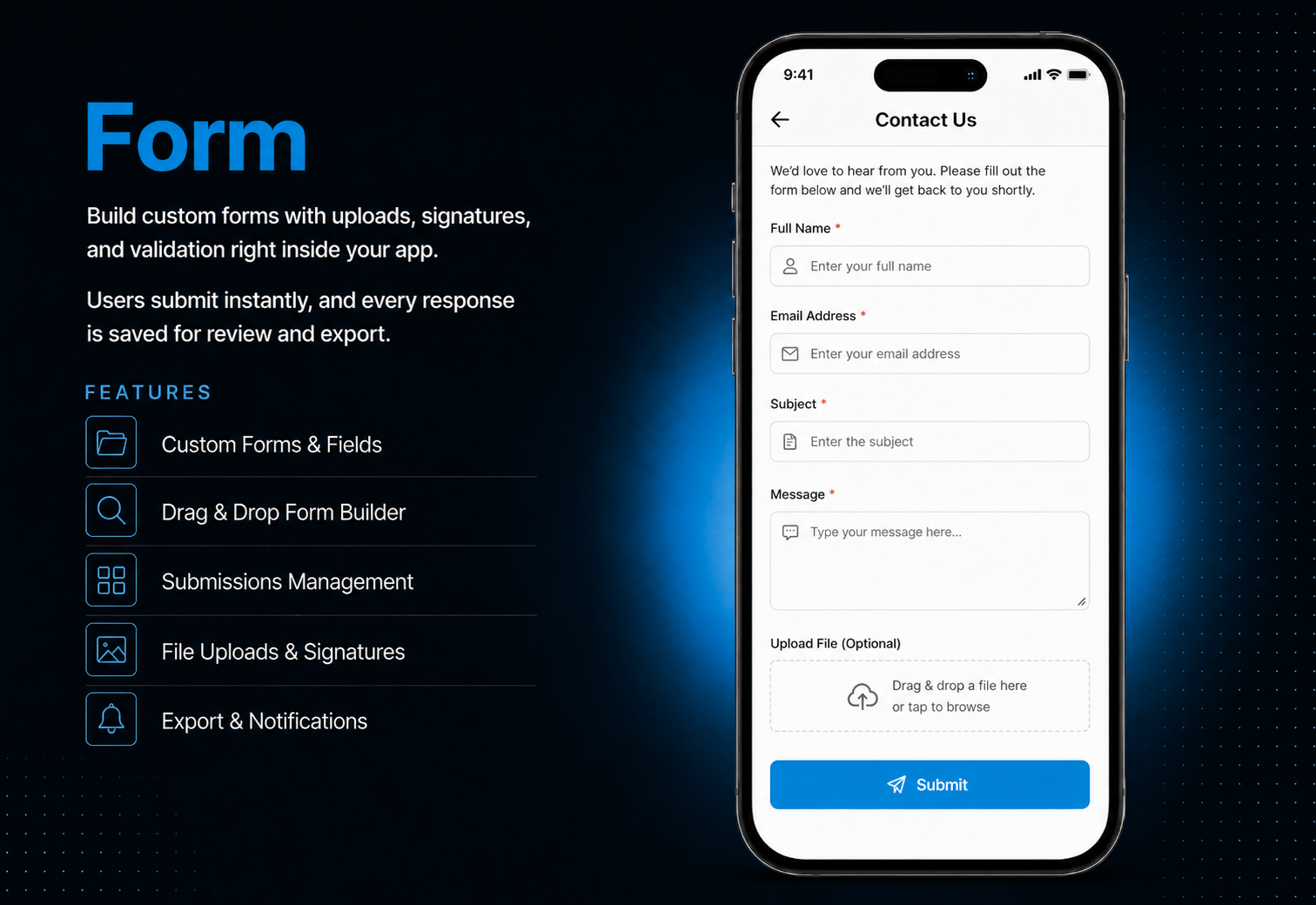
Stop collecting user data through scattered emails and external tools. The Form module lets you build fully custom forms inside your app contact forms, feedback forms, service requests, agreements with digital signatures, and document uploads all managed from one clean dashboard.Choose from 14 field types, arrange them in any order with drag and drop, and set your own validation rules. Users fill and submit forms directly from the app responses are saved instantly and viewable from your admin panel anytime. Export all submissions as CSV or Excel with one click for easy analysis.
The admin panel gives you complete control over every form. Create a form, add fields from 14 available types, configure labels and validation rules, and drag to reorder fields in any order you choose. Set a custom success message, activate or deactivate the form anytime, and manage all submissions from a dedicated submissions tab. View full response details including file previews and signature images, delete individual entries, and export everything as CSV or Excel in one click.
Users open the form and see a clean, well-structured layout with only the fields the admin has configured. Required fields are clearly marked, validation errors appear instantly so users know exactly what to fix, and file uploads support camera, gallery, and document picker in one tap. Digital signature fields let users sign directly on screen with their finger. After submitting, a personalized success message confirms their response was received.
All features available as soon as the module is unlocked. No extra configuration.






All features available as soon as the module is unlocked. No extra configuration.









Everything you need to know about AppMin CMS
The form builder includes 14 field types — text, email, phone, number, dropdown, radio, checkbox, date, time, rating, file upload, digital signature, and more.
Yes — users can upload files directly from their camera, photo gallery, or device documents — with file type and size limits set by the admin.
Yes — the digital signature field lets users draw their signature on screen with their finger, which is saved as an image with the submission.
Yes — export all submissions as a CSV or Excel file with one click from the submissions dashboard.
Yes — toggle any form inactive anytime. Inactive forms show a "Form not available" message to users until reactivated.
Join 2,400+ businesses, agencies and resellers already building with AppMinCMS. Pick your path and start today.
WhatsApp us
Everything you need to build, launch and grow
Built for every type of business — pick your use case

Please enter your name and email below, and we’ll send you your demo platform link, username, and password directly to your inbox. Explore our platform and discover how it can transform your business!

Our team will contact you soon!
Still having trouble?
Our team will get you set up right away
Your lifetime plan request has been received. Our team will contact you shortly.

WE’LL CONTACT YOU AT
Usually within 24 hours
If you don’t hear from us, please check your spam folder or wait up to 24 hours.
Still having trouble?
Our team will get you set up right away
Your request has been received. Our team will contact you shortly.
WE’LL CONTACT YOU AT
Usually within 24 hours
If you don’t hear from us, please check your spam folder or wait up to 24 hours.
Still having trouble?
Our team will get you set up right away
Your free trial account has been created.
Check your inbox to get started.
Login details sent to
Usually arrives within 1–2 minutes
If you don't see it, check your spam or junk folder, search for "AppMinCMS", or wait up to 5 minutes.
Still having trouble?
Our team will get you set up right away
Pay once. Own it forever — no monthly fees, no surprises.
By signing up you agree to our Terms of Service and Privacy Policy. We never share your data with third parties.
Tell us a little about your business, deployment needs, and Enterprise requirements. This takes around 3 minutes and helps us recommend the right setup.
These services are available by agreement and may affect the final Enterprise proposal.
Our team will review your requirements and contact you personally with the next steps. For Enterprise requests, we usually recommend a short call so we can understand your deployment needs, support expectations, app volume, and license structure properly.