
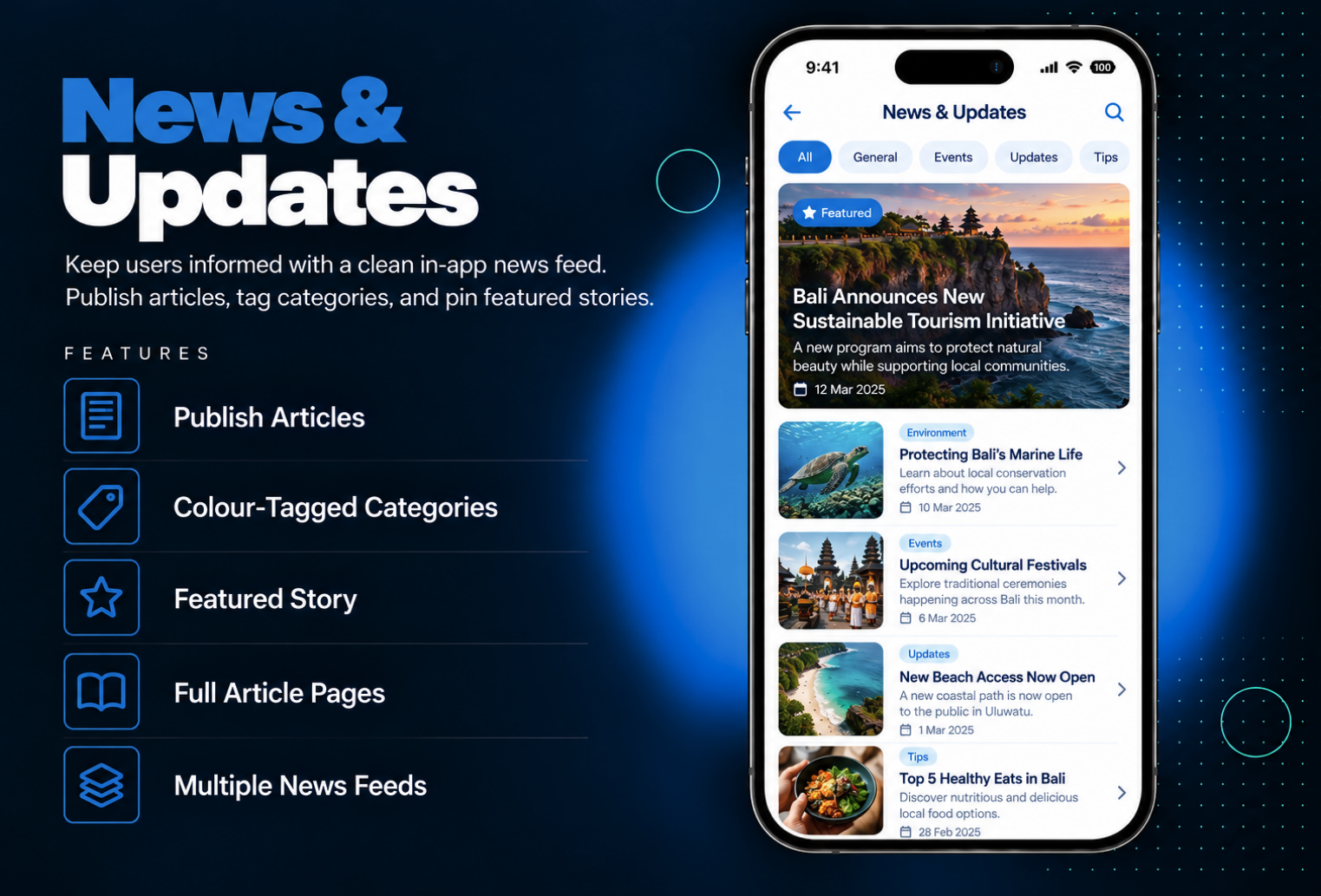
Keep your users informed with your own news feed inside your app. News & Updates lets you write and publish articles directly from your admin panel, organize them into colour-tagged categories, and pin a featured story to the top so your most important news is always seen first.Users get a clean, easy-to-scan list showing each story’s image, headline, summary, and date, plus a full article page for every post. Add the module more than once to run separate news feeds for different topics, departments, or audiences — each with its own articles and categories.
The admin panel includes a built-in editor, so you can write and publish articles without any external tool. Add an image, headline, and summary to each article to make it stand out in the list. Create categories and give each one its own colour tag, then assign your articles to them to keep your news organized. Choose one story as the featured story and it will appear at the top of the feed. If you need separate feeds — for example, company news and event updates — add the module multiple times and manage each feed independently.
Users open News & Updates and immediately see your featured story pinned at the top, so the most important news is never missed. Below it, a clean list shows every article with its image, headline, a short summary, and the publication date, along with a colour tag that shows its category at a glance. This makes it easy for users to scan the latest stories and pick the ones that interest them. Tapping any article opens its full page with the image, headline, and the complete story, giving users a smooth, comfortable reading experience inside your app.
All features available as soon as the module is unlocked. No extra configuration.


All features available as soon as the module is unlocked. No extra configuration.


Everything you need to know about AppMin CMS
No. Articles are written and published using the built-in editor in the admin panel.
You can create categories with their own colour tags and assign articles to them, so users can quickly see what each story is about.
Yes. You can pin one story as the featured story at the top of the feed.
Each article shows an image, headline, short summary, and date. Tapping it opens the full article page.
Yes. The module supports multiple instances, so you can add it several times for different topics or audiences.
Join 2,400+ businesses, agencies and resellers already building with AppMinCMS. Pick your path and start today.
WhatsApp us
Everything you need to build, launch and grow
Built for every type of business — pick your use case

Please enter your name and email below, and we’ll send you your demo platform link, username, and password directly to your inbox. Explore our platform and discover how it can transform your business!

Our team will contact you soon!
Still having trouble?
Our team will get you set up right away
Your lifetime plan request has been received. Our team will contact you shortly.

WE’LL CONTACT YOU AT
Usually within 24 hours
If you don’t hear from us, please check your spam folder or wait up to 24 hours.
Still having trouble?
Our team will get you set up right away
Your request has been received. Our team will contact you shortly.
WE’LL CONTACT YOU AT
Usually within 24 hours
If you don’t hear from us, please check your spam folder or wait up to 24 hours.
Still having trouble?
Our team will get you set up right away
Your free trial account has been created.
Check your inbox to get started.
Login details sent to
Usually arrives within 1–2 minutes
If you don't see it, check your spam or junk folder, search for "AppMinCMS", or wait up to 5 minutes.
Still having trouble?
Our team will get you set up right away
Pay once. Own it forever — no monthly fees, no surprises.
By signing up you agree to our Terms of Service and Privacy Policy. We never share your data with third parties.
Tell us a little about your business, deployment needs, and Enterprise requirements. This takes around 3 minutes and helps us recommend the right setup.
These services are available by agreement and may affect the final Enterprise proposal.
Our team will review your requirements and contact you personally with the next steps. For Enterprise requests, we usually recommend a short call so we can understand your deployment needs, support expectations, app volume, and license structure properly.