Build Native iOS, Android & Web Apps — All from One CMS

iPhone · Android · Web · With your name on it

Your shop.
On their phone.
Create a shop app, no code.

Your shop closes at night. Your customers’ phones don’t. Your own app for your boutique or local shop, in your logo and colours. Customers shop online, claim your coupons and get news from you.

Next: create your account, then add your shop

Open the Linden Home shop app, no sign-up
QR code that opens the Linden Home shop app
On a computer?Scan to open on your phone.
  • No code
  • Ready-made features
  • 30-day trial
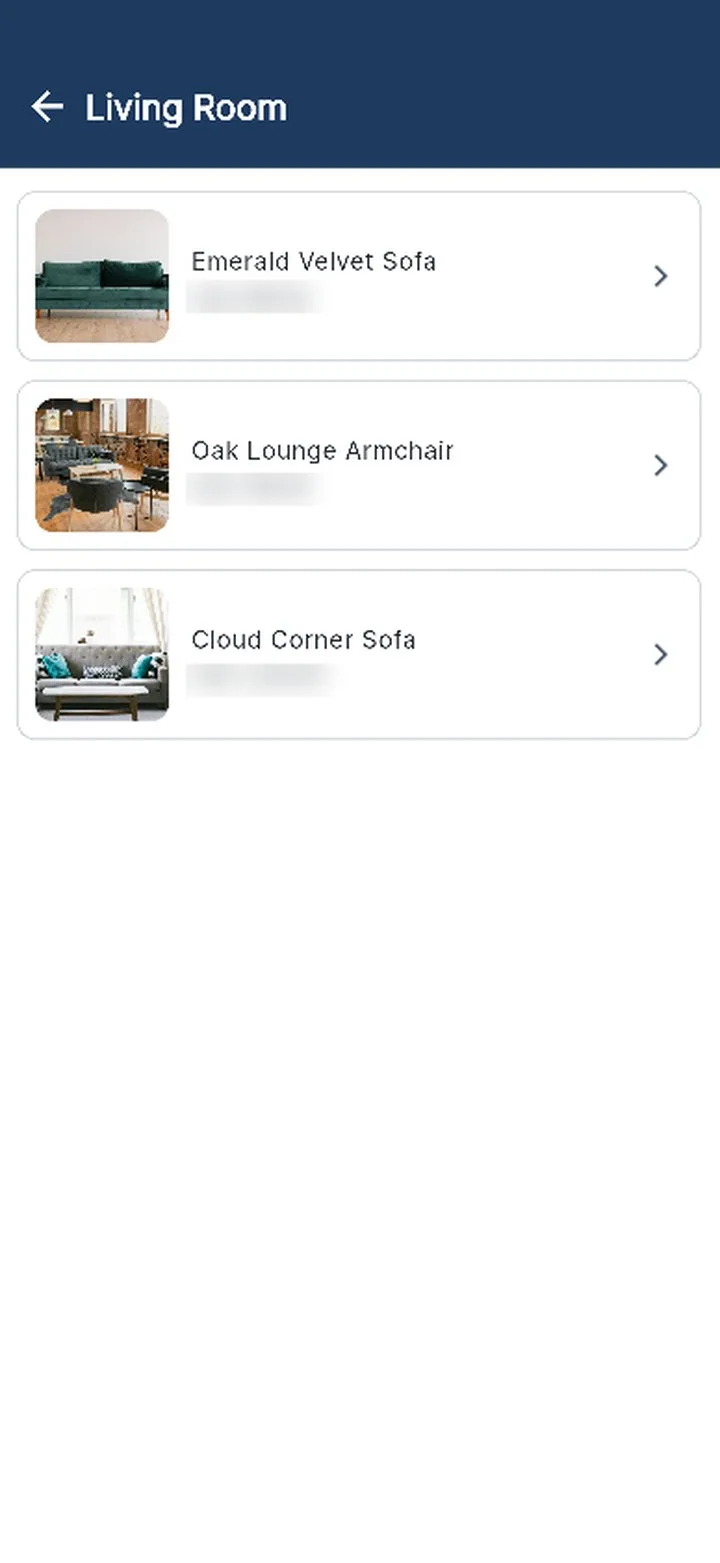
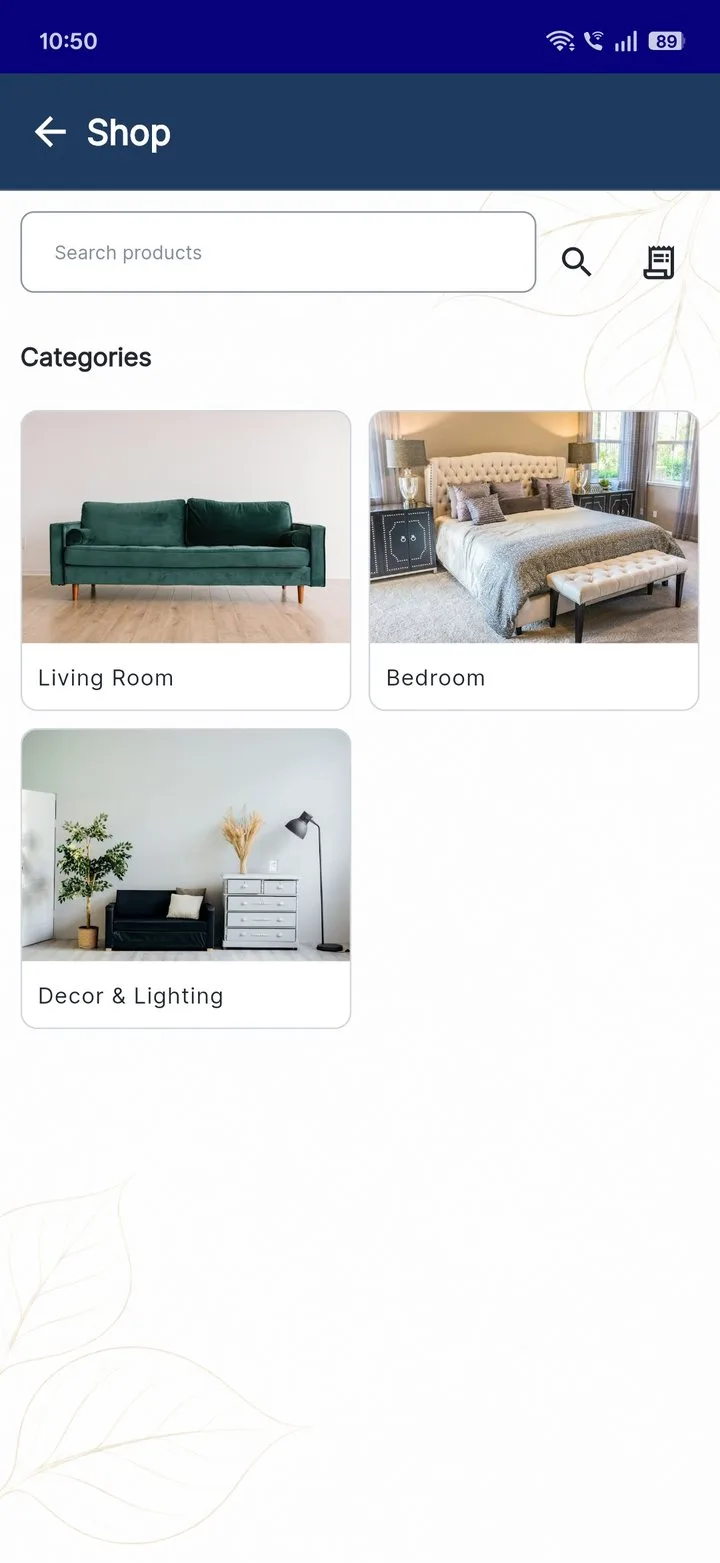
Shop categories in the Linden Home app
linden-home-shop.jpgPhone screenshot
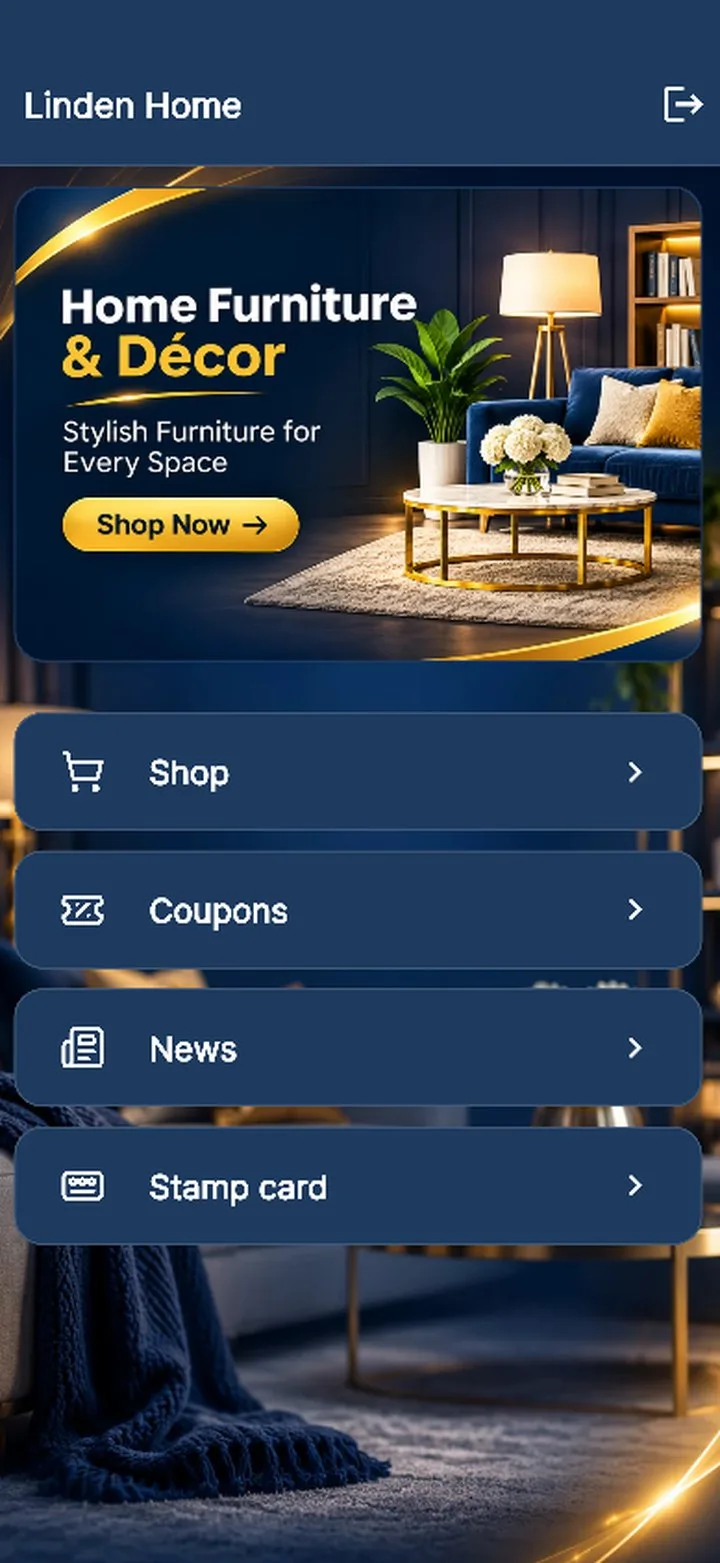
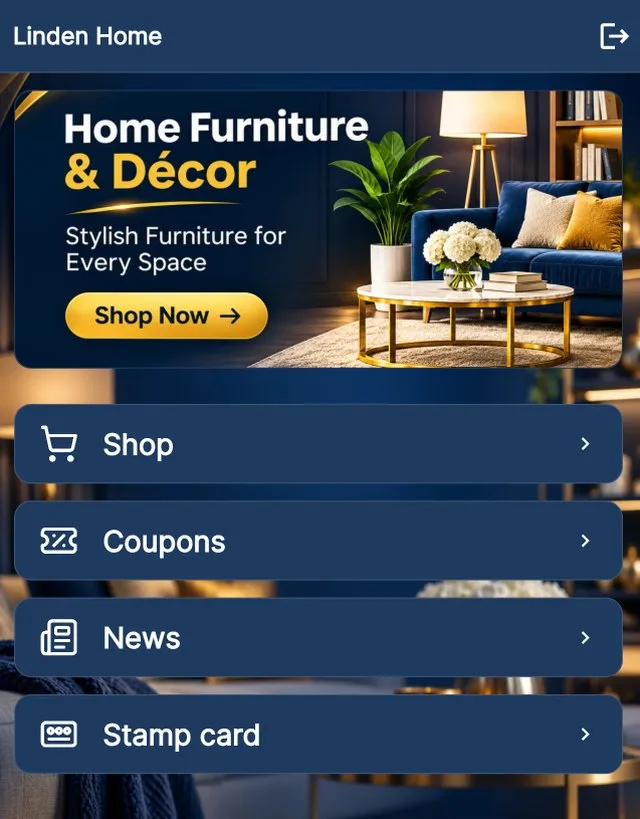
Linden Home’s own shop app on a customer’s phone
linden-home-home.jpgPhone screenshot
LH
Linden HomeYour name on their phone
iPhone · Android · WebWith your name on it
Made forBoutiquesHome and gift shopsFashionFloristsToys and booksLocal retail
Your app oniPhoneAndroidWeb
What your customers see

Online shop. Coupons.
News from you.

Your customers open your app, not a marketplace. They shop with you, claim your coupons and see your news first.

Stoneware vase added to the basket in a shop app
linden-home-product.jpgPhone screenshot
01

Online shop.

Customers browse your products, fill a basket and order for delivery or pickup.

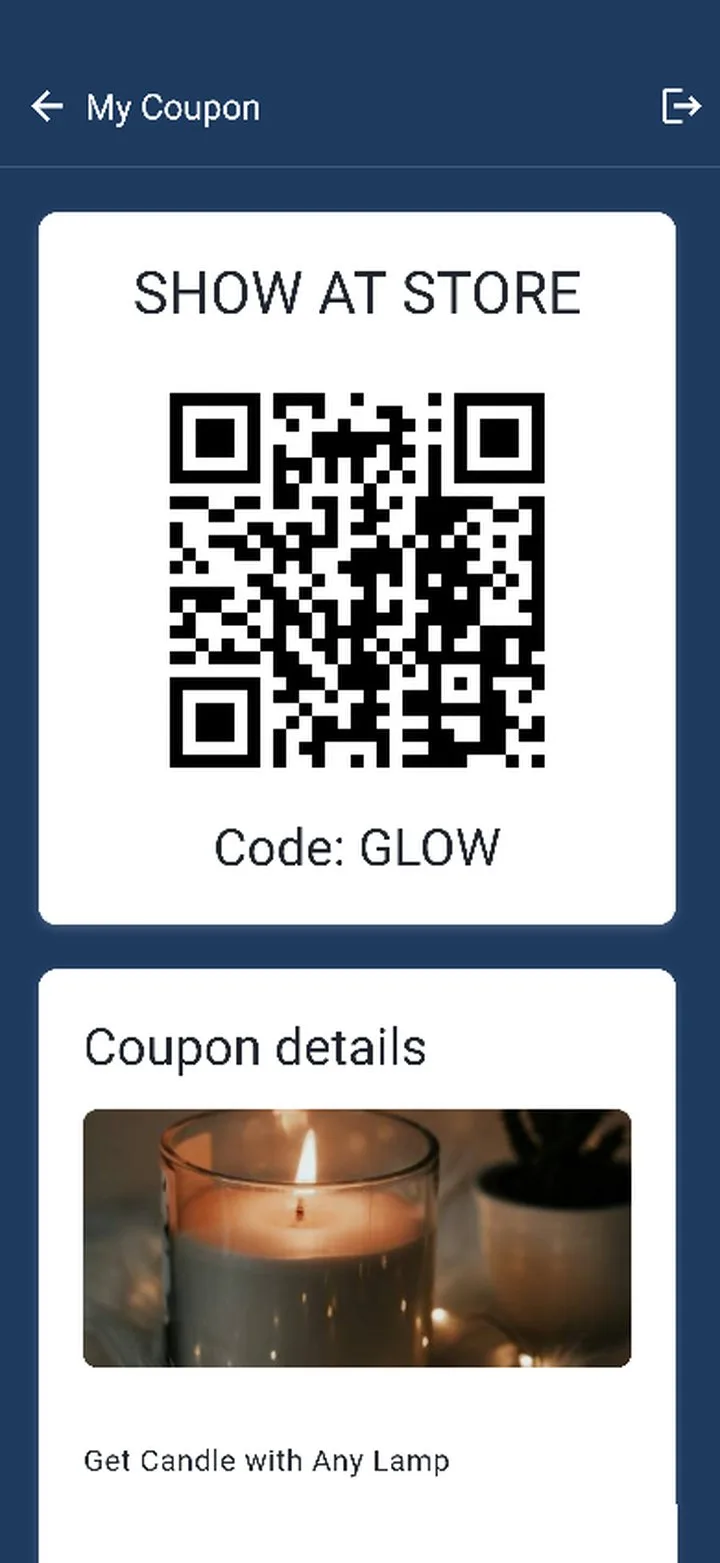
Shop coupon with a QR code for staff to scan at the till
linden-home-coupon.jpgPhone screenshot
02

Coupons.

Customers claim a coupon in the app and show the QR code in your shop.

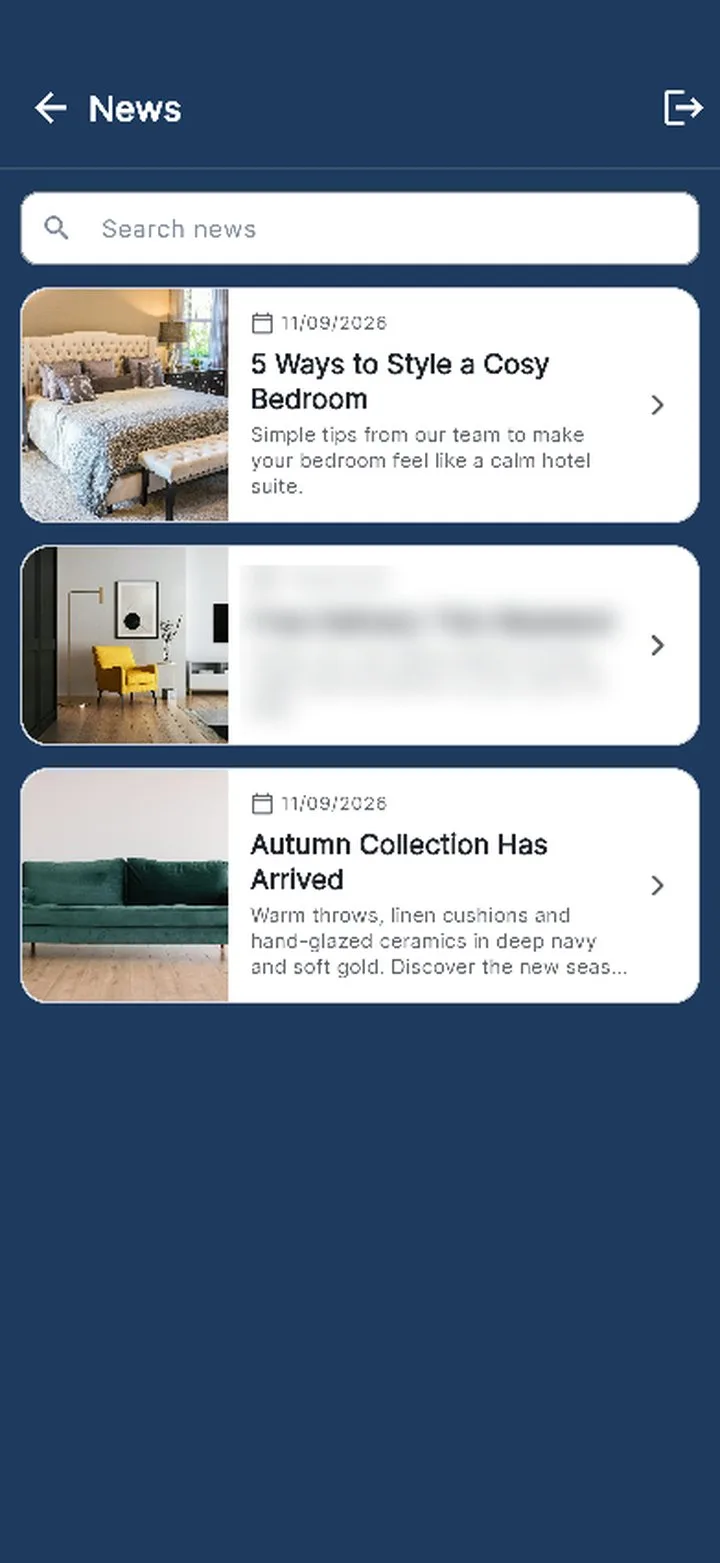
News in a shop app: the new autumn collection
linden-home-news.jpgPhone screenshot
03

News from you.

New arrivals, offers and opening times, inside your app.

For you, the owner

Run it from
your dashboard

Run orders and customer messages from one dashboard, on your computer or a tablet behind the till.

Linden Home · Orders
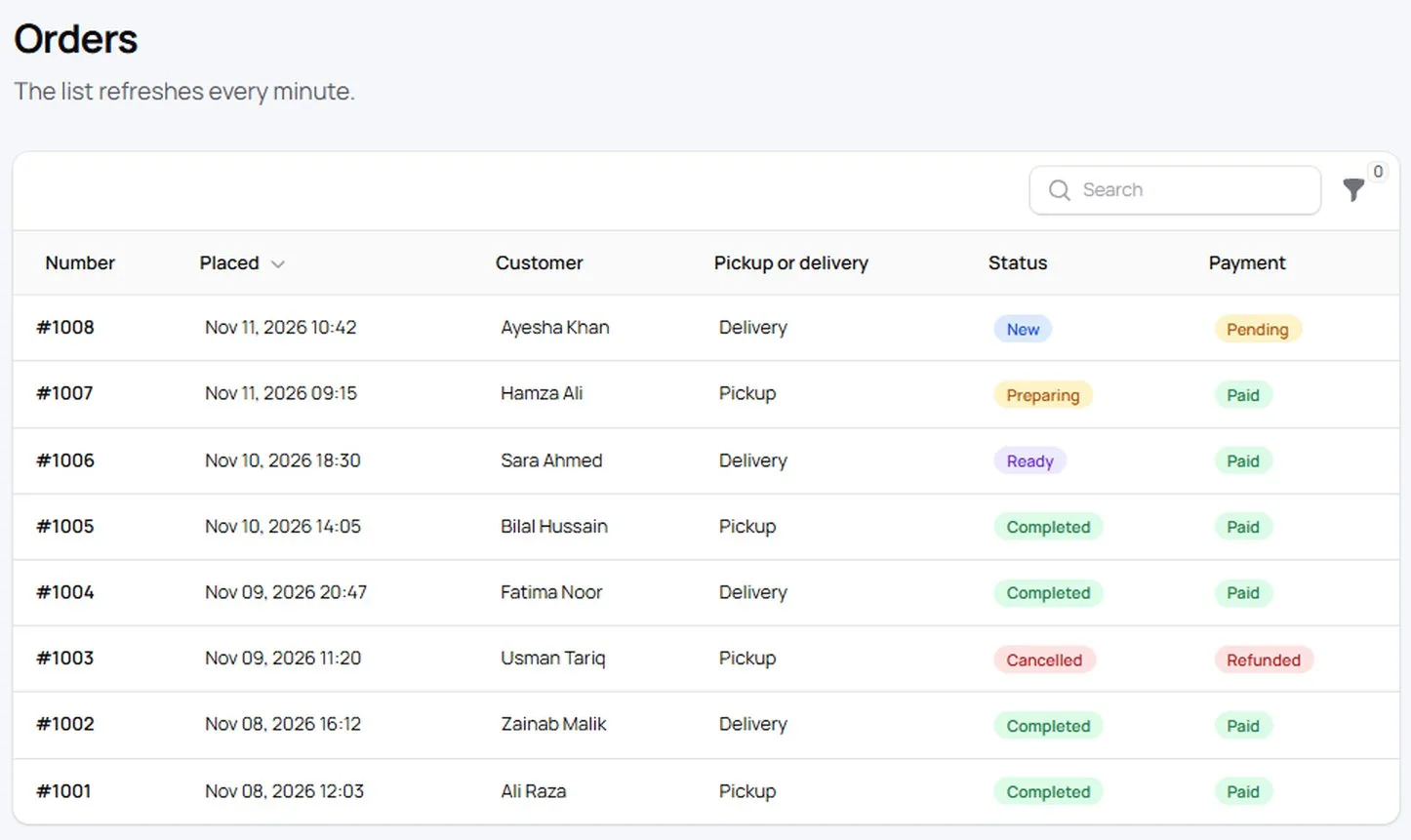
Shop owner dashboard: orders with pickup or delivery and payment status
dashboard-orders.jpgDashboard screenshot
01

Every order in one list

New, preparing, ready, out for delivery or completed: you see where every order is at a glance.

  • Pickup and delivery orders in one place
  • The payment status on every order
  • The list refreshes every minute
Linden Home · Shop settings
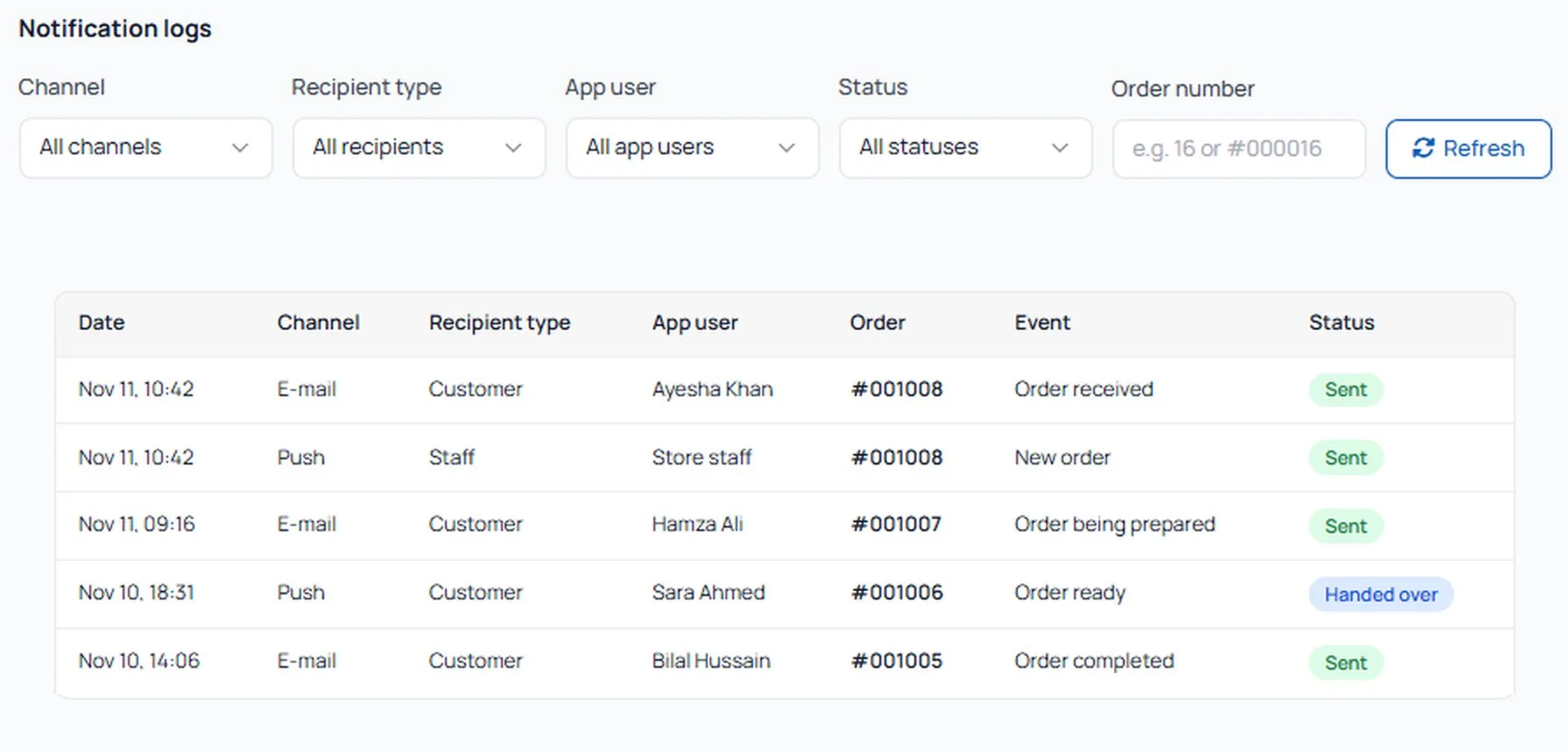
Shop settings: customer messages from order received to completed
dashboard-notifications.jpgDashboard screenshot
02

Customers hear from you at each step

Customers get a message at each step: received, accepted, ready and completed. App notifications work once they are set up.

  • A staff alert for every new or cancelled order
  • Switch each message on or off
How it works

How to create a shop app
in three steps

No developer, no code. If you can post on social media, you can build your app.

App editor · Design
LH
Linden HomeYour app
LOGO & COLOURS
01

Add your logo and colours

Pick a template or start blank, so your app looks like your shop.

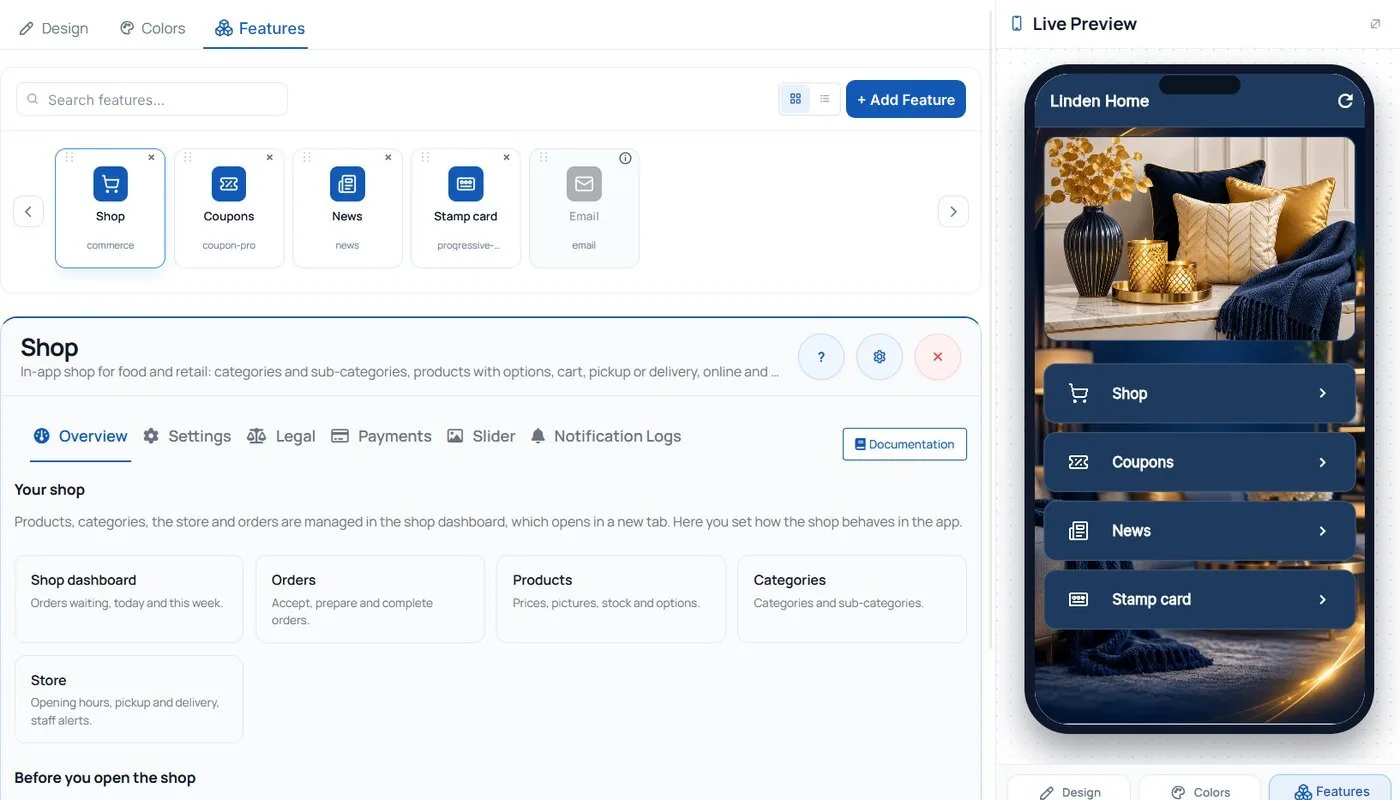
Choosing features for a shop app in the editor, with a live preview
linden-home-editor.jpgDesktop screenshot
linden-home-home.jpgPhone screenshot
02

Pick what your customers need

Choose from ready-made features: an online shop, coupons, news, a loyalty card and more, with a live preview.

Shop app opened from a QR code by the till
linden-home-home.jpgPhone screenshot
Scan to open the appLink or QR code by the till
iPhoneAndroid
03

Go live on iPhone, Android and the web

Share your web app by link or QR code. Publish your iPhone app under your own Apple developer account, and your Android app with your own developer account.

Ready to build your shop app?Next: create your account, then add your shop
Pick from ready-made features

What you can add
to your shop app

Start with your online shop and news. Add coupons, a loyalty card or events when you are ready.

Online shopProducts, a basket and orders for delivery or pickup.
CouponsOffers customers show in store; your staff scan them.
News from youNew arrivals, offers and opening times, inside your app.
Loyalty cardA digital loyalty card that rewards your regulars.
Birthday treatsA treat for each customer on their birthday.
Events and workshopsLaunch evenings, workshops or late openings, with tickets.
BookingsPersonal shopping, fittings or repairs at a set time.
Contact and opening timesYour address, phone number and opening times, one tap away.
The Linden Home shop app on an iPhone
linden-home-home.jpgPhone screenshot
LHLinden Home
The same shop app as a web app in a browser
linden-home-web.jpgWeb app screenshot
Shop categories in the Linden Home app on an Android phone
linden-home-shop.jpgPhone screenshot
iPhone · Android · Web

Your app, with
your name on it

  • Your logo on their home screen.

    Your icon sits next to the apps your customers use every day.

  • Your colours on every screen.

    No other business’s name on the app, only yours.

  • Your customers stay yours.

    People shop with you directly, not next to your competitors.

  • Built by you, without code.

    A visual editor with a live preview, and ready-made features to grow into.

  • Change it whenever you like.

    Add products, post news or add a feature. No developer needed.

iPhone appAndroid appWeb app by link or QR code

Need a hand? Chat with us on WhatsApp and we help you choose the right features.

Shop types

A shop app for
every kind of shop

Pick the features your customers already use with you, and add more later.

Boutiques and fashion

Show new arrivals first and give coupons your staff scan at the till.

Home and gift shops

Sell online for pickup or delivery, and post gift ideas as news.

Florists

Take orders for pickup or delivery and remind regulars of special days.

Book and toy shops

Post new titles and events, and reward regulars with a loyalty card.

Run a café? See our café app page.

FAQ

Questions
shop
owners ask

Something else on your mind? Ask a real person.

Ask us on WhatsApp
How do I create an app for my shop without coding?

Sign up, add your logo and colours, then pick features such as an online shop, coupons and news. You see every change in the live preview, and no code is needed at any step.

Do I need a website or online store first?

No. Your products, coupons and news live in your app. Customers open it from a link, a QR code or their home screen.

Can customers pay in the app?

Yes. Customers pay by card at checkout. You connect your own payment account, so the money goes to you. You can also offer bank transfer or payment when they collect.

Can customers choose delivery or pickup?

Yes. You decide whether you offer delivery, pickup or both, and set your opening hours. Every order shows whether it is for pickup or delivery, and customers get a message when it is ready.

How many products can I add?

Add your range with photos, options such as size or colour, and stock, sorted into categories and sub-categories. Have a very large catalogue? Ask us on WhatsApp and we help you plan it.

How do coupons work in my shop?

Create a coupon in your dashboard. Customers claim it in the app, and the app shows a QR code they show at the till. Your staff scan it in store.

Will my app work on iPhone and Android?

Yes. Your app runs on iPhone, Android and the web. The web app works straight away, by link or QR code. For Android, you get the app files to upload to your own Google developer account. For iPhone, we deliver the ready project and you publish it under your own name. To publish the iPhone app you need a Mac and your own Apple developer account. Apple and Google charge their own developer fees.

Do my customers have to download an app?

No. They can open your web app from a link or a QR code by the till. Customers who want you on their home screen can install your iPhone or Android app.

Is an app or a website better for a small shop?

You get both. Your web app opens from a link like a website, and regulars can keep your app on their home screen.

Can I change my app after it is live?

Yes. Add products, post news or add a feature whenever you like. No developer needed.

What does a shop app cost?

You pay a monthly plan, not a developer to build it. See the plans on our pricing page. Apple and Google charge their own developer account fees.

What happens after the 30-day trial?

You choose a plan to keep editing your app. If you don’t, the editor locks, but your published app keeps running and nothing is deleted. We e-mail you 3 days and 1 day before the trial ends, and on the day. No card is needed to start.

iPhone · Android · Web, with your name on it

Your shop. Your own app.

Build it yourself from ready-made features, with no code. Start your 30-day trial.

Next: create your account, then add your shop
Building apps for clients? See our app builder for agencies

linden-home-product.jpgPhone screenshot
Three screens of a shop app: a product, the home screen and a coupon
linden-home-home.jpgPhone screenshot
linden-home-coupon.jpgPhone screenshot

Start your 30-day trial

No card needed.

We'll send your login details to this email — double check it's correct!
Or

You're all set!

Our team will contact you soon!

Still having trouble?

Our team will get you set up right away

You're all set!

Your lifetime plan request has been received. Our team will contact you shortly.

WE’LL CONTACT YOU AT

Usually within 24 hours

If you don’t hear from us, please check your spam folder or wait up to 24 hours.

Still having trouble?

Our team will get you set up right away

Template / Layout Development

Need a unique app design? Request a custom layout tailored to your brand.

What Do You Need?

CUSTOM TEMPLATE From €199
CUSTOM LAYOUT From €299
Template changes the visual style, colors, and branding. Layout changes navigation, app flow, and content structure.

Preferred Timeline

No rush
1-2 weeks
3-4 weeks
Specific Deadline

Upload attachments — wireframes, screenshots, documents (optional)

Click to upload files PDF · PNG · JPG · DOC · Figma link — max 10MB per file

Custom Module Development

Need a feature that does not exist in our module library?

Preferred Timeline

No Rush
1–2 Weeks
3–4 Weeks
Specific Deadline

Upload Attachments

📎 Click to upload wireframes, screenshots or documents

Estimated Complexity

SIMPLE From €499
MEDIUM From €999
COMPLEX From €1,999
NOT SURE

Book a demo

Please enter your name and email below, and we’ll send you your demo platform link, username, and password directly to your inbox. Explore our platform and discover how it can transform your business!

You're all set!

Your request has been received. Our team will contact you shortly.

WE’LL CONTACT YOU AT

Usually within 24 hours

If you don’t hear from us, please check your spam folder or wait up to 24 hours.

Still having trouble?

Our team will get you set up right away

You're all set!

Your 30-day trial account has been created.
Check your inbox to get started.

Login details sent to

Usually arrives within 1–2 minutes

If you don't see it, check your spam or junk folder, search for "AppMinCMS", or wait up to 5 minutes.

Still having trouble?

Our team will get you set up right away

Lifetime plan

Pay once. Own it forever — no monthly fees, no surprises.

We'll send your login details to this email — double check it's correct!

By signing up you agree to our Terms of Service and Privacy Policy. We never share your data with third parties.

Apply for AppMinCMS Enterprise

Apply for AppMinCMS Enterprise

Tell us a little about your business, deployment needs, and Enterprise requirements. This takes around 3 minutes and helps us recommend the right setup.

  • No payment required
  • Dedicated deployment available
  • Lifetime usage rights for the agreed Enterprise deployment
  • Source code ownership is not included
  • Our team will review your request personally
STEP 1 OF 5

Tell us about you

STEP 2 OF 5

Deployment requirements

Enterprise is designed for a dedicated/private white-label deployment managed by AppMinCMS. You receive your own branded platform experience while AppMinCMS manages the core platform, updates, security, maintenance, and ongoing stability.
STEP 3 OF 5

Additional services

These services are available by agreement and may affect the final Enterprise proposal.

STEP 4 OF 5

Final details

STEP 5 OF 5

Enterprise license understanding

Enterprise includes lifetime platform usage rights for the agreed dedicated white-label deployment.
Lifetime usage rights do not include hosting, infrastructure, support, maintenance, updates, custom development, or custom modules forever.

The following are not included: source code access, source code ownership, server root access, FTP/SFTP access, unmanaged deployment rights, and the right to duplicate or redeploy the platform.

Thank you — your Enterprise request has been received

Our team will review your requirements and contact you personally with the next steps. For Enterprise requests, we usually recommend a short call so we can understand your deployment needs, support expectations, app volume, and license structure properly.

Book a call
Takes around 3 minutes