

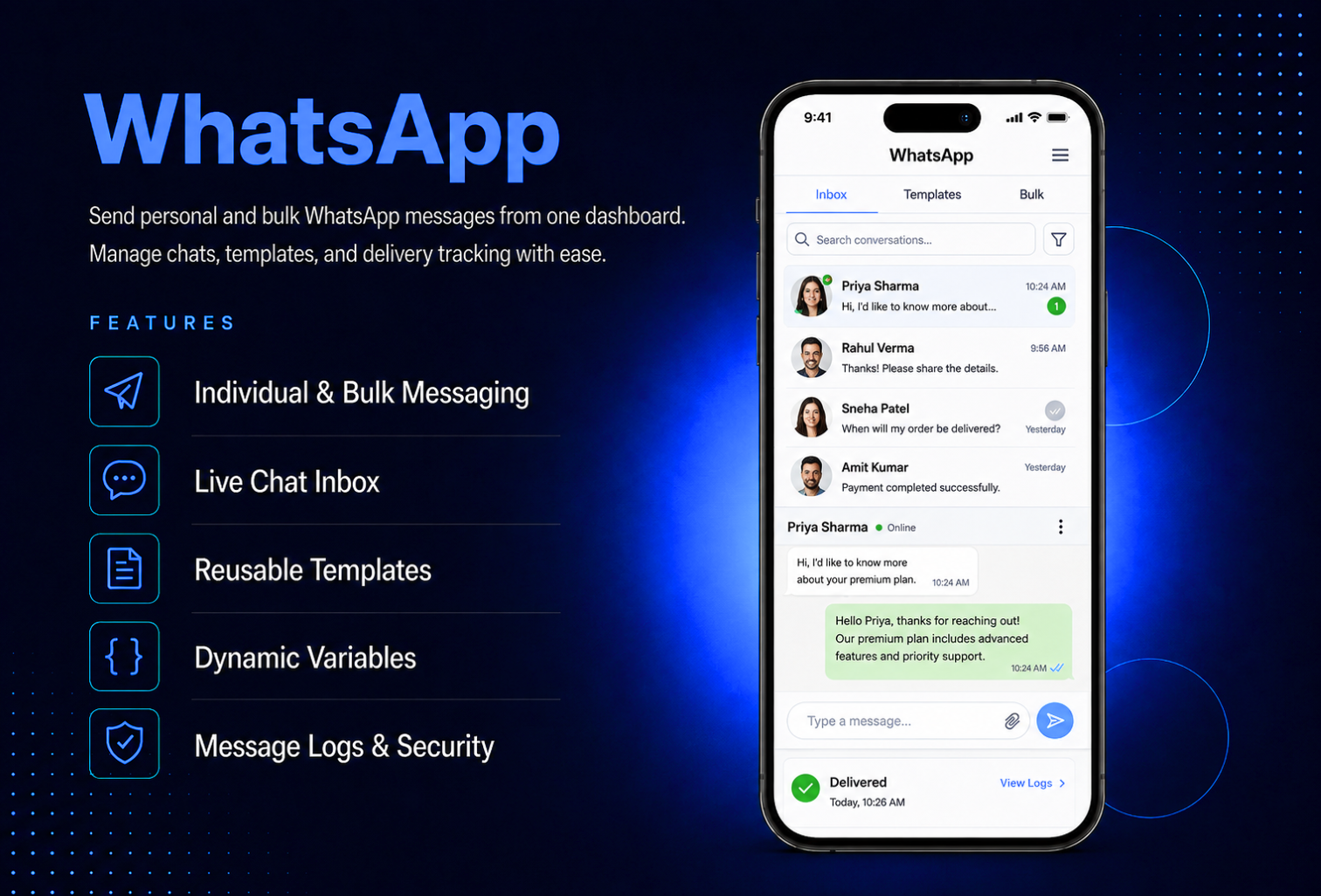
Connect with your customers where they already are on WhatsApp. The WhatsApp module lets you send text and image messages to individual customers or in bulk, manage live conversations from a built-in chat inbox, and create reusable templates with dynamic variables all from your app dashboard.Send personalized messages using template variables like name, email, phone, and business name replaced automatically per recipient. View full message logs with delivery details, sync your ChatFlow conversations directly into the inbox, and reply to customers without ever leaving your dashboard. Every API key is encrypted and never exposed security is built in from the ground up.
The admin panel gives you complete control over your WhatsApp integration. Connect your ChatFlow account by entering your API base URL, API key, and session name in Settings — the API key is encrypted immediately and never shown again in the UI or any logs. Create reusable message templates with dynamic variables that are automatically replaced per recipient — name, email, phone, business name, and date. Send messages from the Send Message tab, monitor delivery in Message Logs with full provider response details, and sync conversations from ChatFlow directly into the Chat Inbox. Manage templates — create, edit, activate, deactivate, and delete — all from one dedicated tab.
The WhatsApp module is an admin-facing tool that gives your team a complete WhatsApp communication hub inside the app dashboard. Send a message to a single customer, select multiple customers for bulk sending, or type in a manual phone number directly. Attach an image with an optional caption, choose a saved template, and send — the system handles duplicate numbers, skips invalid entries, and logs every message individually. The Chat Inbox shows all synced conversations with a search bar, message history, read status, and the ability to open, reply, close, and reopen any conversation thread.
All features available as soon as the module is unlocked. No extra configuration.






All features available as soon as the module is unlocked. No extra configuration.









Everything you need to know about AppMin CMS
The module connects through ChatFlow — you need a ChatFlow account with an active session. Enter your API base URL, API key, and session name in the Settings tab to connect.
Yes — select multiple customers from your list or enter manual phone numbers for bulk sending. The system automatically skips duplicate numbers and invalid entries and creates a separate message log for each recipient.
When you create a template, you can include variables such as name, email, phone, business name, and date using double curly bracket syntax. When the message is sent, these are automatically replaced with each recipient's actual data.
Yes — your API key is encrypted immediately when saved and is never shown again in the UI, never returned in any API response, and never stored in message logs or provider response records.
Yes — sync your ChatFlow conversations into the Chat Inbox, view full message threads, and reply directly from the dashboard. Conversations can be marked as read, closed, or reopened at any time.
Join 2,400+ businesses, agencies and resellers already building with AppMinCMS. Pick your path and start today.
WhatsApp us
Everything you need to build, launch and grow
Built for every type of business — pick your use case

Please enter your name and email below, and we’ll send you your demo platform link, username, and password directly to your inbox. Explore our platform and discover how it can transform your business!

Our team will contact you soon!
Still having trouble?
Our team will get you set up right away
Your lifetime plan request has been received. Our team will contact you shortly.

WE’LL CONTACT YOU AT
Usually within 24 hours
If you don’t hear from us, please check your spam folder or wait up to 24 hours.
Still having trouble?
Our team will get you set up right away
Your request has been received. Our team will contact you shortly.
WE’LL CONTACT YOU AT
Usually within 24 hours
If you don’t hear from us, please check your spam folder or wait up to 24 hours.
Still having trouble?
Our team will get you set up right away
Your free trial account has been created.
Check your inbox to get started.
Login details sent to
Usually arrives within 1–2 minutes
If you don't see it, check your spam or junk folder, search for "AppMinCMS", or wait up to 5 minutes.
Still having trouble?
Our team will get you set up right away
Pay once. Own it forever — no monthly fees, no surprises.
By signing up you agree to our Terms of Service and Privacy Policy. We never share your data with third parties.
Tell us a little about your business, deployment needs, and Enterprise requirements. This takes around 3 minutes and helps us recommend the right setup.
These services are available by agreement and may affect the final Enterprise proposal.
Our team will review your requirements and contact you personally with the next steps. For Enterprise requests, we usually recommend a short call so we can understand your deployment needs, support expectations, app volume, and license structure properly.