
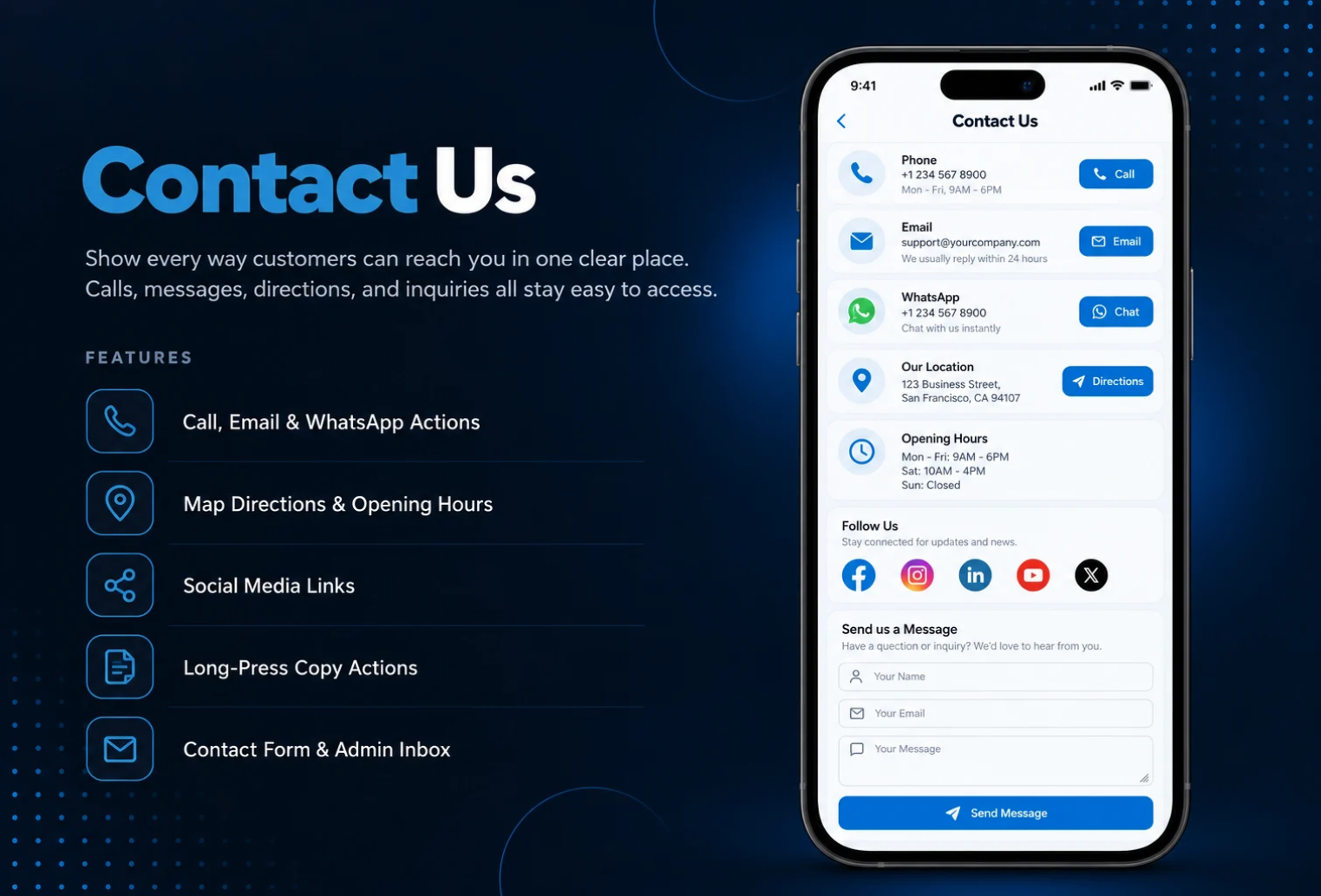
Give your customers one clear page that shows every way to reach you. Contact Us brings your phone numbers, email, WhatsApp, address with directions, opening hours, social media links, and a contact form together on a single page of your app — arranged in the order you choose.Every contact detail has its own icon and does something useful when tapped it can start a call, open WhatsApp, send an email, or open map directions. A long press copies the number, email, or address. Messages sent through the form land in a dedicated inbox in your admin panel, and you get an email alert for every new one.
The admin panel lets you add 11 kinds of contact detail — phone (up to 5 numbers), WhatsApp with a pre-written message, email, SMS, website, address with coordinates, opening hours, Telegram, Messenger, any other link, and a short text. Add up to 17 social networks, each in its brand colour, your app's colours, or a colour you pick. Drag and drop to reorder, use the show/hide switch on any entry, and see the page update in a live preview as you edit. All form submissions arrive in a Messages inbox with an unread counter and filters, where you can reply by email, mark messages as unread, or delete them.
Users open Contact Us and see your picture or logo, a title, and a short introduction at the top. Below, each contact detail appears with a round icon — tap to call, send an email, open WhatsApp, SMS, Telegram or Messenger, visit your website, or get directions to your address. If you list several phone numbers, users choose which one to call. A Follow Us row shows your social media logos, and the Write to us form lets users send a message with their name, email, optional phone, and text. Each field is checked before sending and users see a thank-you message once it is sent. The page follows your app's colours and fonts and works fully with screen readers.
All features available as soon as the module is unlocked. No extra configuration.


All features available as soon as the module is unlocked. No extra configuration.


Everything you need to know about AppMin CMS
You can add 11 kinds of contact detail: phone (up to 5 numbers), WhatsApp with a pre-written message, email, SMS, website, address with coordinates, opening hours, Telegram, Messenger, any other link, and a short text. You can also add links to 17 social networks.
Each detail performs its own action — a phone number starts a call, WhatsApp opens a chat, an email opens a new message, and an address opens map directions. If you have listed more than one phone number, the user is asked which one to call. A long press copies the number, email, or address.
Every message arrives in the Messages inbox in your admin panel, and you also receive an email alert. From the inbox you can filter messages, reply by email, mark them as unread, or delete them.
Yes. The form has built-in spam protection and checks each field before the message is sent.
The module is available in English, Italian, French, Spanish, Danish, Portuguese, and Dutch.
Join 2,400+ businesses, agencies and resellers already building with AppMinCMS. Pick your path and start today.
WhatsApp us
No card needed.
Everything you need to build, launch and grow
Built for every type of business — pick your use case

Please enter your name and email below, and we’ll send you your demo platform link, username, and password directly to your inbox. Explore our platform and discover how it can transform your business!

Our team will contact you soon!
Still having trouble?
Our team will get you set up right away
Your lifetime plan request has been received. Our team will contact you shortly.

WE’LL CONTACT YOU AT
Usually within 24 hours
If you don’t hear from us, please check your spam folder or wait up to 24 hours.
Still having trouble?
Our team will get you set up right away
Your request has been received. Our team will contact you shortly.
WE’LL CONTACT YOU AT
Usually within 24 hours
If you don’t hear from us, please check your spam folder or wait up to 24 hours.
Still having trouble?
Our team will get you set up right away
Your 30-day trial account has been created.
Check your inbox to get started.
Login details sent to
Usually arrives within 1–2 minutes
If you don't see it, check your spam or junk folder, search for "AppMinCMS", or wait up to 5 minutes.
Still having trouble?
Our team will get you set up right away
Pay once. Own it forever — no monthly fees, no surprises.
By signing up you agree to our Terms of Service and Privacy Policy. We never share your data with third parties.
Tell us a little about your business, deployment needs, and Enterprise requirements. This takes around 3 minutes and helps us recommend the right setup.
These services are available by agreement and may affect the final Enterprise proposal.
Our team will review your requirements and contact you personally with the next steps. For Enterprise requests, we usually recommend a short call so we can understand your deployment needs, support expectations, app volume, and license structure properly.