Mobile apps are no longer static products. Businesses need the flexibility to update content, publish new pages, manage media, change branding, launch promotions, and keep information accurate without relying on developers for every small update. Whether it’s updating text, images, forms, app screens, notifications, layouts, or business information, your content should be easy to manage from one central place. As your business grows, your app needs to evolve just as quickly.
If every change requires rebuilding and republishing the app, managing content becomes slow, expensive, and inefficient. That’s where a CMS for mobile apps makes the difference.
A mobile app CMS gives businesses, agencies, and app owners complete control over their app content, pages, media, modules, layouts, branding, and configurations from a single dashboard without rebuilding the app or writing custom code for every update.
For teams managing iOS and Android applications, this means faster updates, lower development costs, reduced dependency on developers, and a much more efficient workflow long after the app has been launched.
If every small change requires a developer, the app quickly becomes slow and expensive to manage. That is where a CMS for mobile apps becomes useful. A CMS for mobile apps gives businesses, agencies, and app owners a central place to manage mobile app content, app pages, media, modules, layouts, branding, and updates without rebuilding everything from custom code. For teams building iOS and Android apps, this can save time, reduce dependency on developers, and make app management much easier after launch.
What is a CMS for mobile apps?
A CMS for mobile apps is a content management system designed to manage content and app experiences inside mobile applications. In a normal website CMS, you usually manage pages, blog posts, menus, images, and website content. In a mobile app CMS, the structure is different. You may need to manage:
- app screens
- app pages
- modules
- images and media
- menus and catalogs
- booking content
- coupons and offers
- loyalty cards
- forms
- push notifications
- layout structure
- app branding
- app preview and publishing workflows
The goal is simple: make mobile app updates easier without rebuilding the app from zero every time something changes.
Why mobile apps need a different kind of CMS ?
A website and a mobile app may both show content, but they are not managed in the same way. A website is usually built around pages, menus, posts, and templates. A mobile app is often built around modules, screens, navigation flows, actions, notifications, user journeys, and platform-specific publishing requirements. For example, a restaurant app may include:
- menu pages
- food ordering
- booking
- offers
- gallery
- loyalty rewards
- contact details
- push notifications
A normal website CMS can manage text and images, but it does not always understand app-specific features like modules, app navigation, app previews, push notifications, or app publishing workflows. That is why a mobile app CMS needs to go beyond basic content editing. It should help teams manage the actual app experience.
What can you manage with a mobile app CMS?
A good mobile app CMS should help you manage the content and structure of your app from one dashboard. Depending on the platform, this may include:
App pages
You can create and update informational pages, service pages, contact pages, custom content sections, and business details. This is useful for businesses that need to keep app content fresh without asking a developer for every update.
Media and images
You can manage images, galleries, videos, banners, icons, and other media assets used inside the app. For content-heavy apps, this is one of the most important parts of app management.
Modules
Modules are reusable app features such as booking, loyalty, coupons, forms, galleries, catalogs, and push notifications. Instead of building every feature from custom code, a module-based mobile app CMS allows teams to add features faster.
Layouts and templates
Layouts and templates help define how the app looks and how users move through the app. This is especially useful for agencies and resellers that create apps for multiple clients.
Branding
A mobile app CMS may also allow you to manage app colors, logo, splash screen, app name, icons, and other brand elements. This is important when every client app needs its own identity.
Preview workflow
Before publishing changes, teams need to preview how the app experience looks. A mobile app CMS should make it easier to review app content, layout, and module changes before moving forward
CMS for mobile apps vs website CMS
A traditional website CMS is mainly designed to manage website content. A CMS for mobile apps is designed to manage mobile app experiences. Here is the difference:
Website CMS
A website CMS usually manages:
- website pages
- blog posts
- menus
- media
- categories
- website templates
- website publishing
This works well for websites, blogs, landing pages, and content-driven web experiences.
Mobile app CMS
A mobile app CMS usually manages:
- app pages
- app modules
- screen structure
- app layouts
- media
- mobile content
- app branding
- preview workflows
- app-specific publishing steps
This is better suited for businesses and agencies that need to manage mobile apps after launch. A website CMS answers the question:
“How do I update my website?”
A mobile app CMS answers the question:
“How do I manage and update my mobile app experience?”
CMS for mobile apps vs headless CMS
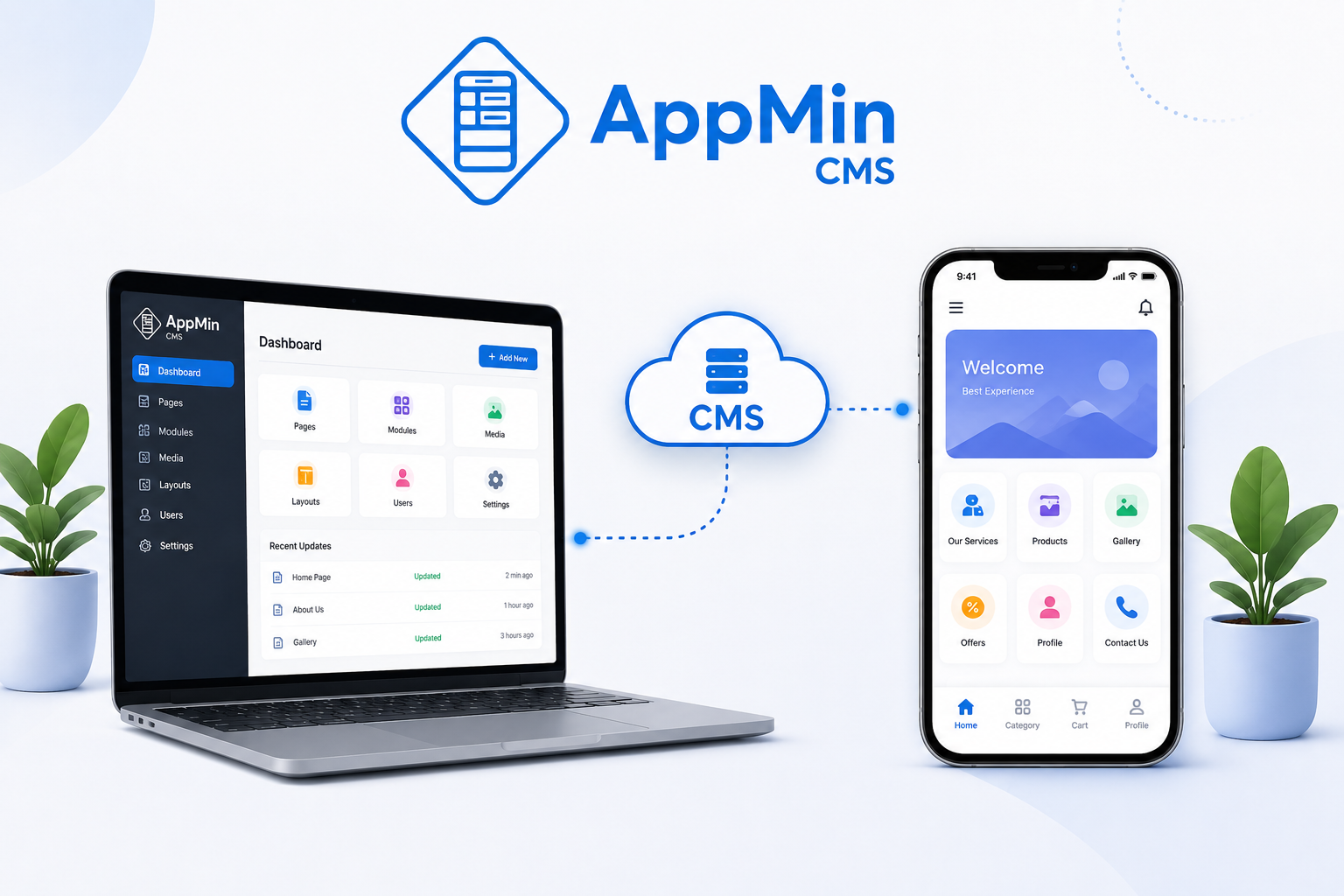
A headless CMS is often a strong choice for developer-heavy projects. It allows developers to manage content in one backend and deliver it through APIs to websites, apps, and other digital channels. This is useful when a business has a technical team and wants a fully custom frontend. But not every business or agency wants to build a custom mobile app architecture from scratch.
- For many teams, the real need is more practical:
- create app pages
- add ready-made modules
- update content
- manage layouts
- customize branding
- preview the app
- prepare app publishing workflows
- manage multiple client apps
In that case, a mobile app CMS with app builder features can be easier to use than a developer-first headless CMS.The right choice depends on the project. If your team needs full custom API control, a headless CMS may be better. If your team wants to create and manage mobile apps using modules, templates, layouts, and a no-code workflow, a platform like AppMinCMS may be more practical.
Why agencies need a CMS for mobile apps ?
Agencies often manage more than one client project. If every app is built manually from scratch, the agency has to deal with:
- high development cost
- long delivery timelines
- repeated setup work
- difficult updates
- separate app structures for every client
- expensive maintenance
- slow client requests
A CMS for mobile apps can help agencies standardize app delivery. Instead of rebuilding similar features again and again, agencies can use modules, layouts, templates, and repeatable workflows. For example, an agency can create app packages for:
- restaurants
- salons
- clinics
- gyms
- local service businesses
- content-based businesses
- appointment-based businesses
This makes it easier to sell mobile apps as a service.
Why businesses need a mobile app CMS after launch ?
Launching the app is only the first step. The real work starts after launch. Businesses often need to update:
- offers
- opening hours
- service details
- menus
- product information
- appointment options
- gallery images
- contact information
- forms
- announcements
- loyalty rewards
If the app does not have a proper management system, every change can become slow. A mobile app CMS gives business owners and teams more control over day-to-day updates. That means the app can stay useful and fresh after launch
Example: restaurant app content management
Imagine a restaurant app. The business may need to update the menu every week, add new offers, promote special events, collect booking requests, send push notifications, and manage gallery images. Without a CMS, many of these changes may require developer support. With a mobile app CMS, the restaurant or agency can manage these updates from one dashboard. They can add menu content, publish coupons, update images, manage booking pages, and send app notifications without rebuilding the entire app. That is the practical value of a CMS for mobile apps.
Example: agency client app management
Now imagine an agency managing 20 client apps.One client needs a new offer page. Another needs a gallery update. Another wants booking changes. Another wants push notifications for a weekend campaign. Without a structured mobile app CMS, the agency may spend too much time handling small changes manually. With a CMS-style mobile app platform, the agency can manage client apps using repeatable modules, templates, layouts, and app workflow This makes client delivery faster and easier to scale.
What to look for in a CMS for mobile apps ?
When choosing a CMS for mobile apps, look beyond basic content editing. A useful platform should support:
App-specific content management
It should help you manage app pages, screens, modules, media, and app-specific content areas.
Module-based features
Modules help you add functionality like booking, coupons, loyalty, forms, catalogs, galleries, and notifications without building everything manually.
Layout and template control
Layouts and templates help speed up app creation and keep app structure consistent.
Live preview
You should be able to preview the app experience before publishing or moving forward with app builds.
Branding controls
A good platform should help you manage app name, colors, icons, splash screens, content, and visual identity.
iOS and Android workflow support
Mobile apps have publishing requirements. The CMS should support the app management workflow for iOS and Android apps.
Agency and reseller support
If you create apps for clients, look for white-label options, client app management, reusable templates, and reseller-friendly workflows.
How AppMinCMS fits this use case ?
AppMinCMS is designed as a no-code mobile app builder and CMS-style platform for businesses, agencies, and resellers. It helps users create and manage mobile app experiences using:
- app pages
- modules
- layouts
- templates
- media
- branding
- live preview
- iOS and Android workflows
- white-label options
- reseller-focused app delivery
Instead of treating a mobile app like a one-time development project, AppMinCMS gives teams a way to build, manage, update, and grow apps over time. This makes it useful for business owners managing their own apps, agencies building apps for clients, and resellers creating recurring app services.
When a mobile app CMS may not be enough ?
A mobile app CMS is not always the right answer for every project. If you are building a highly custom product with complex backend logic, custom APIs, custom user roles, advanced data models, or a fully custom frontend, you may need a custom backend or a headless CMS with developer support. But if your goal is to create and manage business apps using app pages, modules, layouts, templates, branding, and publishing workflows, a mobile app CMS can be much faster and more practical. The key is to match the tool to the project.
Final thoughts
A CMS for mobile apps helps businesses and agencies manage app content and app experiences without depending on custom development for every small change. For websites, a traditional CMS may be enough.
For mobile apps, teams often need more: modules, layouts, branding, previews, app-specific content, and publishing workflows. That is why a dedicated mobile app CMS can be valuable. If you want to create and manage iOS and Android apps using a CMS-style workflow, AppMinCMS gives you a practical way to build, update, and manage mobile apps from one platform.